Saturday, November 16, 2013

Microsoft PIL Continues to make dreams come true!


Those that know me, know that teaching is one of my passions! I’ve been playing school and teaching since I was about 8 years old. I’ve taught 2nd, 3rd, 4th, and 5th grades. This year I made the jump to middle school and am teaching 7th grade English. My passion for teaching is as strong now as that first year that I got hired – 24 years ago.

Three years ago, I was in the right place at the right time, and was able to embark on an adventure that changed my teaching life! Little did I know that the experience that I had would continue to change the way that I teach on a daily basis, and then provide me with another experience of a lifetime.

Microsoft Partners in Learning makes teachers feel important! The Microsoft Education group understands how to support teachers and provide the resources and morale building that keeps us going. In July, 2011 I was invited to be a participant in the Microsoft Partners in Learning U.S. Forum in Redmond, Washington. As stated earlier, the week that I spent at the Microsoft Headquarters changed my life. I met new people, networked with teachers from around the U.S. and formed connections with Microsoft Education executives. I returned feeling like I could conquer the teaching world, armed with new ideas of how to integrate technology into the classroom, and looking forward to continuing the relationships that I formed at the Forum. 

Fast forward three years…

I am definitely a changed teacher. I have challenged myself, set goals and achieved them, and found new dreams that I am reaching for. I have become an innovative teacher, a teacher always on the lookout for new technology tools and ways to integrate them into the classroom. Upon returning from Redmond in 2011, I set up a Twitter account and have continued to connect with many of the educators that I met in 2011, while also finding a whole new world of connected educators that can offer support and ideas.

I have remained in contact with the Microsoft Executives that I met, including Andrew Ko (GM of Microsoft Partners in Learning), and formed new relationships with local Microsoft Executives. I am continually amazed by the support of the Microsoft Corporation and their commitment to education. During the 2012-13 school year, I partnered with Microsoft and Dell and created a 1:1 computer classroom. In spring of 2013, my class was invited to the local Microsoft Store in Tysons Corner, VA for a field trip to share projects and experience firsthand some of the newest Microsoft technology. The Microsoft Store Staff went WAY above and beyond to make that day in May, a day that my fourth grade students would NEVER forget. Again, teaching and education is important to Microsoft!! 

Upon hearing that Microsoft Education was launching a new Expert Educator program, I was encouraged by those around me to apply to become a Microsoft Innovative Educator Expert (MIEE). I was excited to begin the application process, which involved a lot of self-reflecting and analysis of how I am a teacher that uses technology in innovative ways. Through that application process, I learned even more about myself and became even more excited about what I do in my classroom. I submitted the application with a project that I had done with my fourth grade students, unsure of the results, but knowing just from the application process I had again grown as an educator. 

About a week ago, I found out that I was selected as a Microsoft Innovative Educator Expert – class of 2014. I was shocked! 

The list of about 260 educators from around the world reads like the opening ceremonies of the Olympic Games. I am going to be one of 26 United States educators traveling to the Microsoft Global Forum in Barcelona, Spain in March of 2014. I am a member of “Team USA.” It’s still a little surreal, and hard to believe that someone thinks that I am one of the best.

I can’t believe that I am going to get another experience of a lifetime. Microsoft treats teachers like Rock Stars! (Here is the blog post that I did in 2011, upon returning from the 2011 Microsoft PIL Forum) I am so excited to be part of this great community that will come together in March to share ideas and learn about innovative technology.  It’s only been 7 days, but already I’m reconnecting with familiar faces from 2011, and meeting new ones. This global community is amazing, and I can’t wait to meet these people face to face in Barcelona.

I am so excited about this experience, and so proud to represent my school - Blue Ridge Middle School, my district - Loudoun County Public Schools and the state of Virginia on the Global stage in Barcelona, in March!

Thank you Microsoft Partners in Learning for caring about teachers, and providing opportunities to network and learn from educators around the world!!

Sunday, June 30, 2013

New Dreams Ahead...


     As I look ahead to the new school year and reflect back on the last 23 years of teaching, I’ve realized that I am still that same 21 year old teacher who thinks she can change the world! This coming year will bring a lot of changes and many NEW opportunities…new school, new curriculum, new colleagues, new age group, new administration, but as I spend this summer preparing…I’ve realized one thing will stay the same. I will find ways to reach the students and share my joy of learning with them. I will find ways to get them excited about coming to school, and provide opportunities for them to be in control of their learning.

     Many people have asked why I am making the transition from Elementary School Teacher to Middle School Teacher.  I knew it was time for a change. I grew up a military brat and had lived in 10 different states/countries before I turned 18. In my 23 years of teaching I have taught 4 different grade levels in two different schools and at least 10 different classrooms over the years. I like change and I thrive on the excitement and the challenge of doing something different. Blame it on my parents, but if I am not provided opportunities for change, I create my own! 

     The biggest changes I have made in my classroom over the past 3 years have been with the use of technology.  I’ve been thinking about my first classroom 23 years ago, and started thinking about how much the use of technology has changed in just 23 years. I remember back to September of 1990 when I got hired, and how, even then I was finding ways to be innovative with technology. I was hired after school had already started, as an extra class to ease overcrowding. My classroom had no school computer (one was coming) and when I did get that computer…it was on a cart and could be wheeled around the room. I wasn’t satisfied with that, so I brought in an OLD computer from home that had a few math games on it and a simple word processing program. I even brought in an old printer to hook up to it.  My students needed more technology and I was going to find a way to get it for them.

     The school system eventually upgraded to the 4 computers in the classroom model, and a computer lab. That was an exciting time – we didn’t know what to do with a 4 computer model. About that time teachers were being encouraged to communicate through email and my principal was trying to figure out a way to send emails to teachers instead of paper memos…and make sure they got read. We had a paper list of all the teachers email addresses, and I loved the idea of being able to send another teacher a message without leaving my classroom.  I loved the availability of taking my whole class to the computer lab and having them all complete the same activity (at the same time) on the computers. I thought I was in heaven.
     We then progressed to getting Alphasmarts – the kids could word process on a device, then hook it up to one of the computers in the back of the room and upload their document into Word. Now…more kids could be composing on the computer at one time.  I took full advantage of those, and we were all creating and collaborating at our desks with our version of “laptops.” Each student was making choices and not relying on the one single activity. They were beginning to be in charge of their learning.

     We then moved into the 21st century and the schools received carts full of true laptops. The laptops were networked and fully functioned in Wireless mode. This is when my eyes opened with what kids are capable when given the chance. Change is good and I began to dream big!
     I then had the professional development opportunity that changed my teaching life forever. I traveled outside of my district, across the country and found out what other teachers were doing. I discovered what was available and came back changed. I’ve talked about Microsoft Partners in Learning before, and could talk about it forever if given the opportunity, but the Microsoft Corporation cares about education and encourages teachers to dream big and make changes in the way they teach.
     That was right up my alley; I am a dreamer and will fight for what I believe is best for my students. I also can’t teach the same way two years in a row. I need to change what I do every year. I was very lucky, and able to work with Microsoft during the 2012-13 school year to pilot a 1:1 computing program for my students. My students beamed with pride as they created and collaborated on projects throughout the year that many of their parents wouldn’t be able to complete without extensive directions. I was able to witness once again what can happen if you dream big and work to make those dreams a reality.

      Walt Disney says, “If you can dream it, you can do it.” I’ve lived by that motto for the past 23 years of teaching.  If I believe in something, I will do my best to make it happen.  As I move to middle school I am creating a whole new list of dreams for my students. I will leave behind my 1:1 computing classroom, and go back to the laptop carts and computer labs, but I will not stop asking questions and helping my students to achieve in ways that they didn’t think possible. I will continue to find ways to innovate in the classroom and help develop those 21st century skills. I will continue to push myself outside of my comfort zone to explore different ways to bring technology into the middle school classroom.

     I’m excited about what lays ahead, and can’t wait to see what new dreams can be achieved for me and my students!

Sunday, April 14, 2013

Windows 8 in 4th Grade -

Using Technology as a tool to enhance instruction has been on my mind a lot lately. It's not about the "toy," but about how the teacher uses the various technologies to engage students and work to improve student outcomes.

I am repeatedly saying how lucky I am to have been invited to participate in a Microsoft Partners in Learning Forum, but also how lucky I am to continue to be part of the PIL family and receive support from the teachers that I have met through Microsoft, and the Microsoft executives involved in PIL.

One of the focuses this year in my classroom has been to explore 1:1 computing and the various ways it can improve student outcomes across the curriculum. Student engagement has stood out as a big change, once a computer was in the hands of every student.

This generation of students is the video-game/I-pod generation. They all have screens at home that they turn to every day - before and after school. They are "tuned in" to the latest technology toys on the market today.

When I presented Windows 8 to them, one of the first things that they wanted to explore was the personalized start screen. They loved being able to pick what to pin to the start screen; to pick the color and background style that they wanted. The Live Tiles were a big hit, especially once they discovered the built-in camera and could have a tile with their picture on it. Many of them have the Weather App pinned, and are quick to tell me what the temperature is outside as we prepare for recess. My sports oriented kids have the Sports App pinned, and love keeping up with the latest scores of their favorite teams. Many times I hear morning conversations about sports as they are turning on their computers and looking at the live Sports tile. 

They love being able to pin their favorite websites to the start screen. As we go to different sites that the kids know we will visit frequently, they pin it to the start screen for quick access.

Being able to organize the tiles to suit their needs is another highlight to these kids, once they figured out they could move them around. They each have come up with their own unique way of arranging  the tiles, and frequently rearrange them during free time. Some have websites on one side, and productivity tools on another. Some have the Apps that they visit lumped together, and then websites mixed in with the tools. The great part of this is that EVERY Windows 8 Start Screen is different and represents the individual response to learning.

Here are some of our Windows 8 Start Screens - as of April 9...


By being able to personalize thier start screen on the computer, these students have taken ownership of  an aspect of their learning. They are feeling in control of what they are doing, and where they are going. Something so small as choosing the background color has excited some of these students and made them WANT to work on a project or practice math facts on an interactive website. Pinning the class Blog to the start screen has motivated them to write more entries and comment more frequently.

This is just one little piece of the Windows 8/ 1:1 computing experience that is having an effect on student engagement and improving student outcomes!

For some of these students who were not engaged in their learning, and were not excited about math or writing or reading....a personalized start screen on a computer is making all the difference. They are excited to start their day, turn on their computers and see where it will all lead.

Sunday, April 7, 2013

Technology as a tool - Students Gain Control of their Learning

      Technology as another classroom tool....I have had many discussions over the past few weeks about how technology doesn't make you a better teacher, but is just another tool to enhance your teaching. Through these discussions, I have done a lot of self reflection on  how my teaching practices have changed over the past 3 years.
        As discussed in this blog, I have been able to implement a 1:1 classroom this year, through a partnership with Microsoft and Dell. Was I excited to have a computer on every child's desk? Yes, but was it the computer I was excited about, or the possibilities?  Through what I have accomplished so far this year, and some discussions I had this week with my colleagues and one of our Microsoft Partners...I am able to put into words what is happening in my classroom this year.

 My students are in control of their learning. 
They are taking ownership of what they are accomplishing. 
They are realizing that I am not the only teacher in the classroom, and they are becoming more responsible for their achievement. 
They are asking each other questions, and not waiting for my questions.

      Could these goals be met without technology in the classroom? Probably...but by putting technology tools into  the hands of the students and "giving them the power,"  (previous post about "Giving Away the Power") they are pushing themselves beyond what they thought they could do, and they are doing it through collaboration, critical thinking and creativity.

     One of my most recent projects was an in depth study of a famous Virginian. The students chose an individual that was important to Virginia and U.S. history, and began the research process. In previous years, we researched together using books, and online encyclopedias. We took notes and then wrote the traditional 5 paragraph essay about our person. This year would be different...the students were in charge of how they would share the information about their person.  The essay did need to be completed, as it is a curriculum objective that needs to be introduced at this level, but beyond that...the students were encouraged to use all of the tools (and some new ones) to demonstrate the knowledge they have gained through research.
     The outcomes were incredible. The students went beyond the traditional encyclopedias to find information. They used Bing searches to take them to historical sites and found primary sources about their people. Students accessed newspaper articles about the more recent Virginians, did virtual field trips to the homes of George Washington and Thomas Jefferson. They read the complete speeches of Patrick Henry, they looked at photographs of segregation during the time of Oliver Hill and the Brown v. Board of Education court trial in 1954. They were in charge of their learning and they were able to find information that was important to them, without waiting for me to show them!
     After taking notes and writing the essays, the students began to decide how to share their information with their classmates in a "different" way. One of the new tools that I wanted to share with them was Thinglink.  This site was introduced to me when I attended the F.E.T.C. conference in January in Orlando, Florida. By using Thinglink, students use a photo as a starting point and "link" other pieces of information to the photo. Viewers of the photo can scroll over the photo and "touch" the live links to learn more.  The kids had a great time with this, and there was no hesitation in how to do it. I did a quick explanation and they were off and running. Some examples of their Thinglinks are below:


Oliver Hill - lawyer for Brown v. Board of Education


James Madison -


George Mason -


John Brown -


     The fourth graders had a great time with these, and were able to choose what to share with their classmates. They then posted them on Edmodo, and were able to share with each other. The students then viewed their peers' projects and commented to each other. (Social Media in the classroom is another topic that I hope to soon blog about).

     After completing Thinglinks, the students still wanted to share more.  We decided our Final Project to end our research would be a movie. Each student would create a movie using Photostory3 to share what they have learned about their famous Virginian. Before opening Photostory, the students had to determine what would be in their movie. I encouraged them to reflect on ALL of the technology tools that we have used thus far, and incorporate many different forms into their final presentation.

     Some of the tools that they chose to use were:
- PowerPoint slides converted to Jpegs to be inserted into Photostory
- using Tagxedo.com to create a word cloud representing their person, and saving it as a Jpeg
- using Superlame.com to add speech bubbles to a photo
- Using Microsoft SmartArt to create timelines of the accomplishments of their individuals
- using photos found through their research
- recording their voice as a narrative tool in the movie
- choosing music reflective of the time period in history to add as background in their movie
- choosing transitions that wouldn't be too busy or detract from the visuals
- using the motion features on Photostory to emphasize certain aspects of their images

The students completed these projects in a 4 hour time frame. It was done in one school day, as a cumulative project to end our research unit.

Here are some of their movies:


Jack Jouett - the Paul Revere of Virginia

George C. Marshall

Robert E. Lee

Maggie Lena Walker

    Their movies were also uploaded to the Edmodo class page to be shared and viewed by their classmates.

Our research project was complete. 25 famous Virginians were studied, and 25 famous Virginians were shared. I stood by the side and provided guidance as needed. The students made the decisions, found the information and shared. They viewed each others work, asked questions and made thoughtful comments. 

Am I teaching the same fourth grade curriculum that I taught 3 years ago? Yes. Is technology a tool in my classroom that is being used to enhance my instruction? Yes.  Are the students more actively engaged and feeling empowered in their learning? Most definitely so!!

Our next project will be "Geo-Squared" - Exploring Geometry within Geography! Through a PBL approach, my students will work in collaborative groups to review the basic Geometry concepts and search for them within our world. They will then decide how they will share this information with their peers and the community, using technology as a tool. They will have opportunities to investigate Geometry in nature and landforms, historical structures, present day architecture, and everyday items that we encounter in our daily lives.  These investigations will be done using digital photography, artwork, and video.

I'm looking forward to seeing what the students will create, as they explore the world around them!

Sunday, November 4, 2012

So where are we now? 1:1 and Windows 8 - 3 weeks later

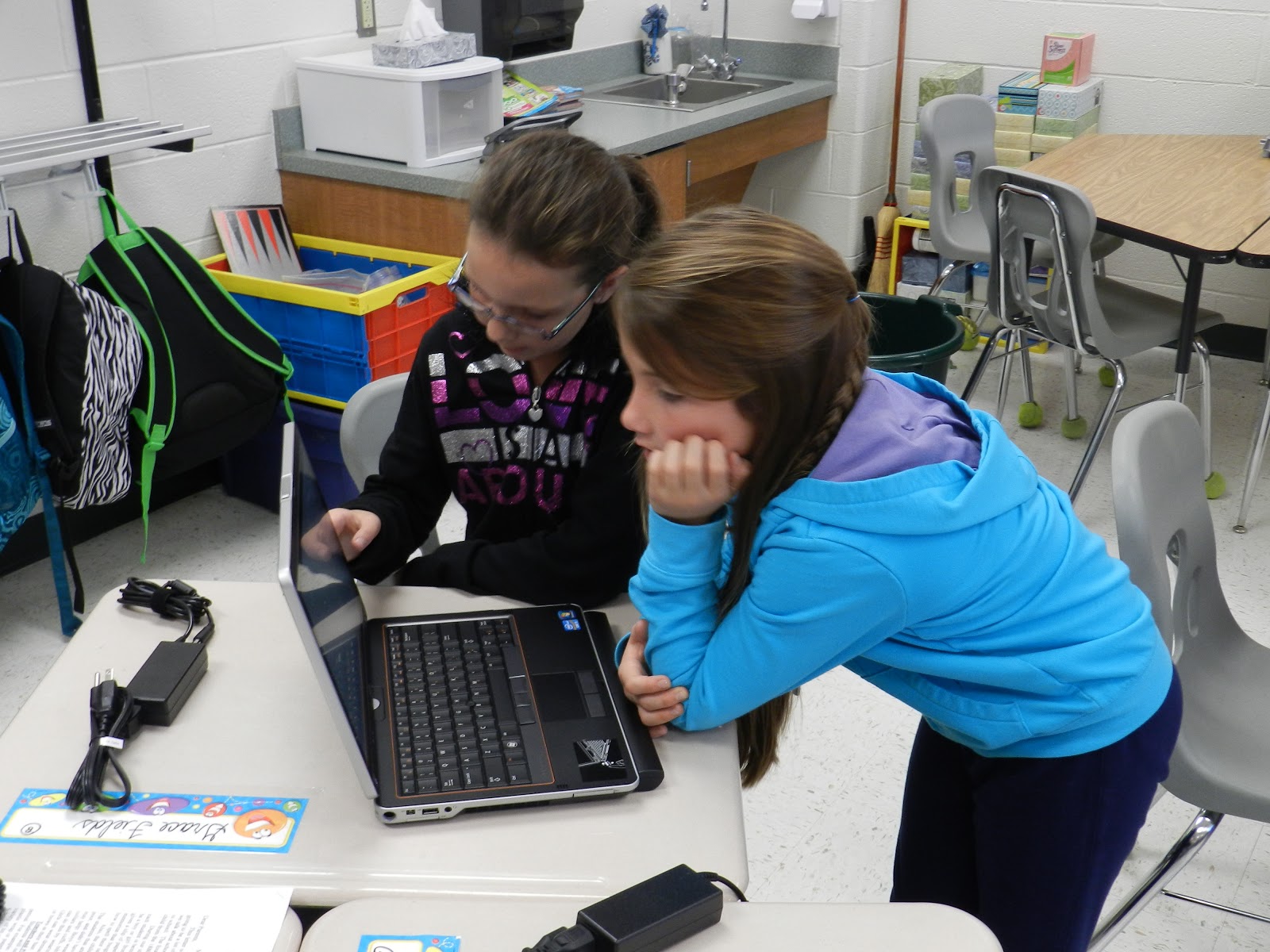
In just 3 weeks - we have accomplished so much! The kids have adapted to having a computer as an additional learning tool with minimal hurdles.


Our 1:1 classroom is fully functional. We are using our computers on a daily basis, routines are being established and online learning is happening. We asked each student to provide their own headphones/ear-buds, and a flash drive for moving documents to our school network. We have already seen a decrease in the amount of "paper products" that are being produced.

I spent a few minutes and created a list of what we have done so far - regarding web based programs, productivity tools and Windows 8 Applications....

In just 3 weeks the kids have used, and are very familiar with the following:


Web Based Programs:
Kidblog - communication and journaling
XtraMath - daily math fact practice in a "fun" way
TenMarks - review of math concepts with problem solving and application
BrainPop - Story Elements and audio/visual explanations of reading concepts
Our Virginia Online Textbook - communication of Virginia History concepts
SolPass - review of Virginia Studies SOL's in a fun and interactive way
MathDictionary for Kids - introduction and review of math vocabulary in an interactive way

Productivity Tools:
Excel - creating graphs and spreadsheets relating Solar System planets size and distance from sun
Word - keyboarding skills and composing
Powerpoint - creating presentations about books read, including basic story elements
PhotoStory3 - taking powerpoint shows and saving them as JPGs - then creating a visual movie with sound  and transitions
ActivInspire - creating slide shows using the interactive tools to depict the Va SOL Native American information
Copy/paste between programs
Embed HTML code
Saving images as JPGs
keyboarding skills

Windows 8 Tasks:
Switch between desktop and start screen
Navigating around the start screen and finding various apps that apply to what they need to do
Pin/unpin programs to start screen
Camera
How to Connect to WiFi and troubleshoot if there is a problem with the connection


And here they are in action:

Collaborating, Creating and Communicating!


Tuesday, October 16, 2012

Windows 8 in the hands of fourth graders!

The day finally arrived! After 9 months of planning and preparing - our 1:1 computing classroom is a reality! Microsoft Windows 8 is alive and kicking at Mountain View Elementary School in Purcellville, Virginia!
The LCPS van pulled up LOADED with our Windows 8 computers...

The Dell Backpacks were loaded in with the Tablet PC inside each one...


Carefully unloaded and brought into the school

uploaded into an empty classroom to be labeled, serial numbers recorded and issued to the students

 After all of the documentation was complete, the students were given the computer to "open up" and use for the first time! We only had about an hour left in the day. We have been talking about Windows 8 and some of the differences, so they were ready for the grand unveiling. We turned them on, logged on and scrolled through the initial welcome piece...


And then they were there - the Windows 8 start screen on their brand new Dell Laptop XT3 with a swivel screen and touch capabilities! The kids were ecstatic and very aware of the seriousness of following directions and making good choices. You could tell they were proud and trying very hard to be mature and contain the excitement.


We hooked one of the computers up to our promethean board as a demonstration tool for the kids to look at.
 The look of pure joy on their faces couldn't be captured on camera, but is visible in some of these pictures. They have waited 6 weeks for this day and it finally arrived.


We spent about 45 minutes today exploring the apps and the start screen. They were thrilled to find familiar programs and we allowed them some exploration time to play.  They loved the touch capabilities and we started talking about the "charms" that swipe in from the right hand side. They also got very excited about just typing what you are searching for on the start screen and the program will show up.

Tomorrow is another day, and as I said to the students today..they way you are learning in this classroom is about to really change!

We can't wait to see what lays ahead!!!

Sunday, September 9, 2012

Prepping for 1:1 Computing - Starting with 2:1 and giving away the Power!

We are another week closer to getting our laptop/tablets and starting 1:1 computing in Fourth Grade. As we get closer, the students and I get more and more excited. I am still grateful for these extra weeks before, and I am finding more and more ways to make them useful for all of us. 

I don't think the students really know what is ahead of them and the "fun" they are going to have with 1:1 computing. I continue to talk to them about how we are training for our own computers, and I am watching them for signs of being responsible and able to follow directions with technology.

We used the school laptop cart for the first time this week, and the cart of 12 was just about perfect for my class of 25 to do 2:1 computing in the room. They were very excited to work with their partners on an exploration task with a math website.  The looks on their faces and their attitudes toward the lesson reinforced the fact that using technology is where these students belong.  They were engaged, focused and completely on task. They were "in the zone."


Later in the day we started our first blog post. We will be using Kidblog and we had discussed and previewed the site earlier in the week. Today we were "blogging." Again, not enough computers on the laptop cart for everyone to do it at once, so I had half of my class working on a reading assignment and other half blogging, then we would switch.  It got crazy and I realized that by myself, I couldn't take care of all of the questions and issues that arose as the students explored "blogging."

I had to "Give Away the Power!" As teachers, we tend to be control freaks or Type A personalities. I am both of those, and up until about 1 1/2 years ago, I was always the Queen of my Kingdom and I was in total control. As I worked with my TRT on the project that we took to the Microsoft PIL Forum in 2011, I began to realize the joy of giving away the power. The idea of students collaborating and students teaching each other was something that I only did when I had a structured cooperative learning activity planned, otherwise, I was in charge and everyone did what I said.

As I help these students to become 21st Century learners, I have realized the importance of collaboration and moving from controlling my classroom to managing my classroom. As certain students became profficient at the steps to using Kidblog, I let them help the many other hands that were raised with questions.  At one point I stood back and watched 4 different conversations going on with students teaching other students, and the smiles of success on the faces of all.

So as I get ready for 1:1 computing in my classroom, 
I need to remember to...
 
GIVE AWAY THE POWER 
and 
MANAGE my classroom, not CONTROL it!